Snippet Editor
Font, color and cursor overrides for the Snippet Manager and the Snippet Edit dialog, plus how many Full code analyses korTTY keeps per snippet and how large a script's text may be to be stored with them. Open via Configuration → Global Settings → Snippet Editor; stored in ~/.kortty/global-settings.xml.
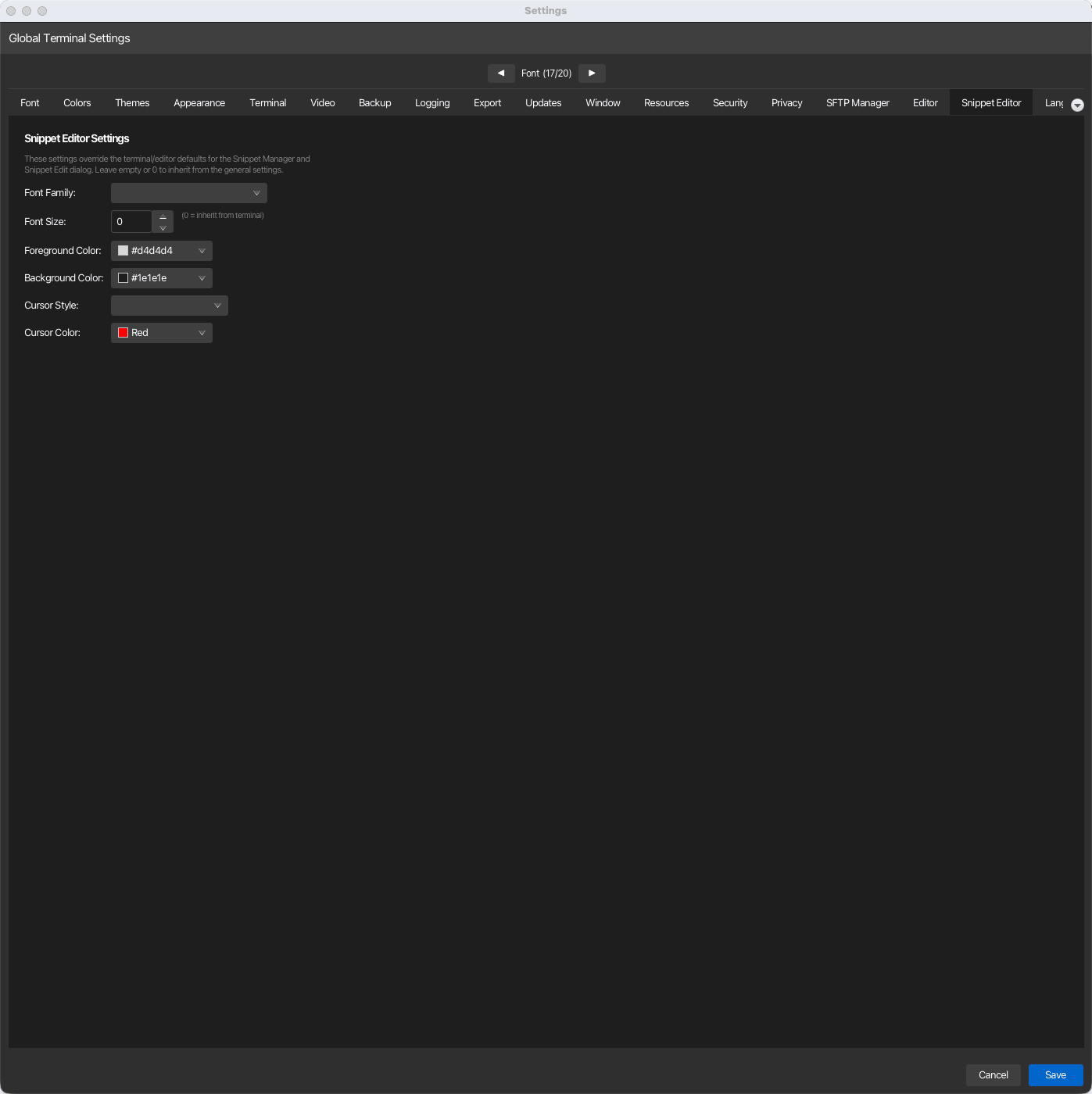
| Setting | Type | Values | Default | Stored as |
|---|---|---|---|---|
| Font Family | dropdown | Empty (inherit) or any installed font family; common monospace families are listed first | empty (inherit) | snippetFontFamily |
| Font Size | number | 0–72 (0 = inherit) | 0 (inherit) | snippetFontSize |
| Foreground Color | color | — | inherit (picker shows #d4d4d4) |
snippetForegroundColor |
| Background Color | color | — | inherit (picker shows #1e1e1e) |
snippetBackgroundColor |
| Cursor Style | dropdown | empty, BLOCK, LINE, UNDERSCORE | empty (inherit) | snippetCursorStyle |
| Cursor Color | color | — | inherit (picker shows #FF0000) |
snippetCursorColor |
| AI Completion Shortcut | key recorder | One key, optionally with up to three modifiers (Ctrl/Cmd, Shift, Alt) | Shift+Tab |
snippetCompletionShortcut |
| Keep a pre-warmed editor ready | checkbox | on / off | on | snippetEditorPrewarmEnabled |
| Stored analyses per snippet | number | 1–20 | 5 | snippetAnalysisHistoryMaxSize |
| Stored script size per analysis | dropdown | Off, 256 KB, 512 KB, 1 MB, 2 MB, 5 MB | 1 MB | snippetAnalysisMaxStoredContentBytes |
Choosing the completion shortcut
Click the AI Completion Shortcut field and press the combination you want — the field records what you pressed, and Reset restores Shift+Tab. A combination is one main key (a letter, digit, function key, Tab, Space, an arrow, Enter and so on) with none, one, two or three modifiers, so Tab alone, Shift+Tab and Ctrl+Alt+K are all valid. On macOS the Ctrl modifier is the Cmd key, matching the editor's own shortcuts. The new combination applies to snippet editors opened afterwards; Ctrl+Space opens the list as well and cannot be reassigned. Choosing something other than Shift+Tab gives Shift+Tab back its normal editor meaning: it removes one level of indentation. A Snippet Manager open as a tab of the main window cannot use Ctrl+1 to Ctrl+9, because those keys jump to a tab there; a Snippet Manager window of its own can.
Pre-warmed editor
With Keep a pre-warmed editor ready on, korTTY boots a spare editor in the background about two seconds after the first snippet editor of a session has opened, so the next Snippet Edit dialog or Snippet Manager preview starts with a ready editor instead of loading Monaco while you wait. The spare is only created after you have used an editor once, and it holds a WebKit page in memory while idle — switch the option off on machines with little RAM to trade a short boot per open for that memory.
Stored analyses per snippet
How many Full code analyses korTTY keeps for each snippet. When a new analysis of a snippet arrives and its history is over the limit, the oldest analyses are removed; pinned analyses, analyses with a result waiting for review and analyses with an interrupted apply are always kept, so a history can hold more than the limit. Lowering the value deletes nothing right away: the settings tab says how many older, unpinned analyses the next analysis of each snippet would remove, and they only go when that analysis arrives. To remove analyses now, use Discard or Delete all in the analysis panel.
Stored script size per analysis
The largest script text — measured in bytes of UTF-8 — that korTTY stores with a Full code analysis. Every analysis can hold several copies of the script (the analysed text, the text an apply started from, the proposed result and the accepted text); each copy up to this size is stored completely, identical copies only once. The default is 1 MB, the maximum is 5 MB, and Off stores no script text at all — findings, the diagram and the reports stay. A larger script is still analysed and can still be applied and reviewed in the editor; only its stored copies are missing afterwards, so View changes, the code preview of an older entry, the plain-text script export, the report appendix, Restore intermediate state and resuming an interrupted apply after a restart are not available for it, and the panel says why. Lowering the value deletes nothing: text that is already stored stays, and the new limit applies to analyses made from then on. A larger value uses more disk space in ~/.kortty/snippet-analyses/; a file that would grow beyond 60 MB sheds the stored text of the oldest analyses first. An administrator can cap the value or forbid storing script text with the enterprise policy; the dropdown then only offers what the policy allows, says so beneath it and is locked when the policy forbids storing script text.
Inheriting instead of overriding
These settings override the terminal/editor defaults for snippet windows only. Leave a field empty — or set the font size to 0 — to inherit the general setting from Appearance, Colors and Editor instead.
The snippet editor itself, including its AI code actions and language fields, is described under Snippets.