Export
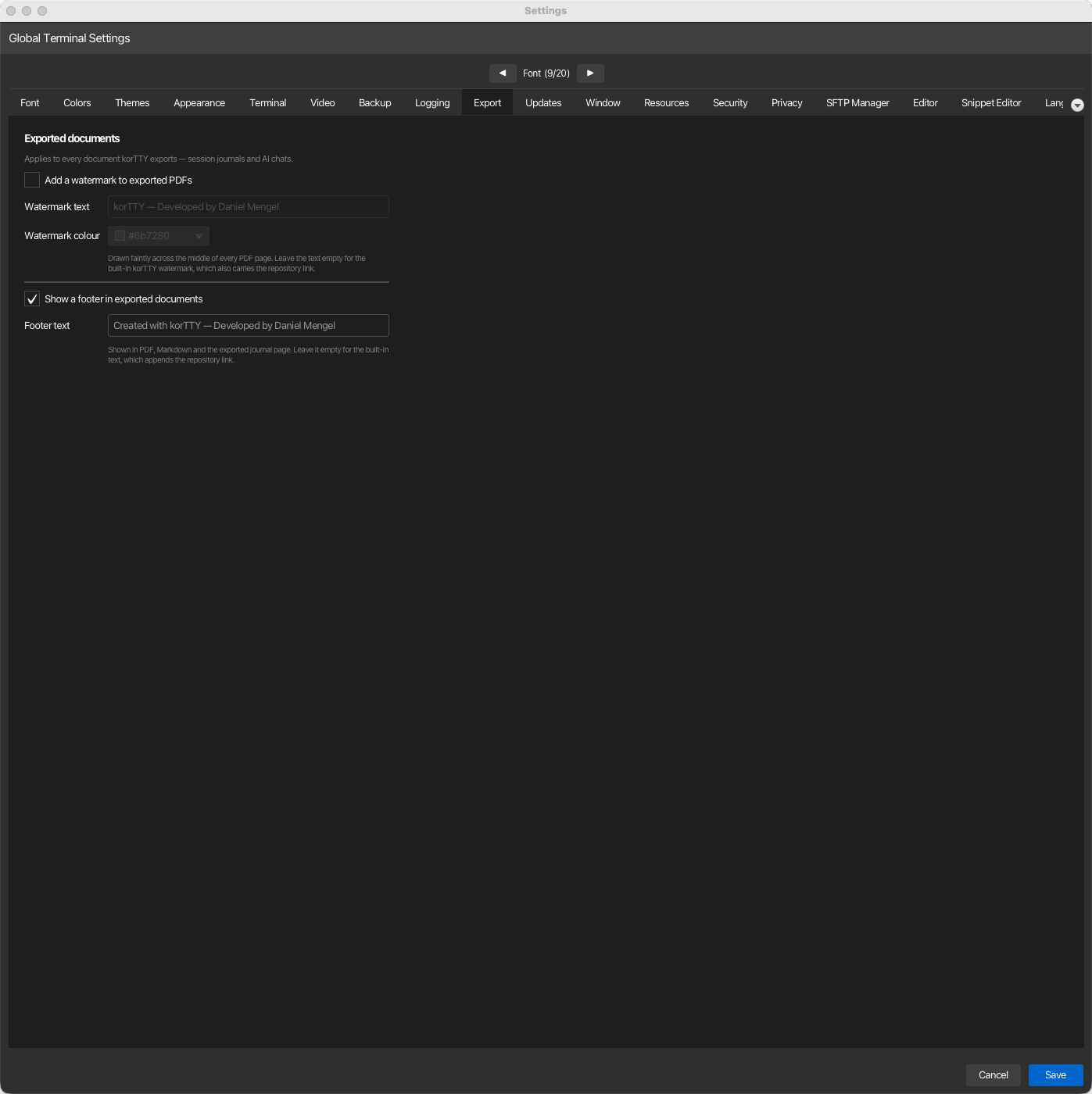
Watermark and footer of the documents korTTY exports — session journals, AI chats and code analysis reports alike. Open via Configuration → Global Settings → Export; stored in ~/.kortty/global-settings.xml.
AI chat PDFs embed fallback fonts for Unicode symbols and emoji, so characters such as ✓, ★, 😀, and 🚀 remain visible and searchable in the exported document instead of being replaced with question marks.
| Setting | Type | Values | Default | Stored as |
|---|---|---|---|---|
| Add a watermark to exported PDFs | boolean | on/off | off | pdfWatermarkEnabled |
| Watermark text | text | — | Built-in korTTY watermark | pdfWatermarkText |
| Watermark colour | colour | — | Grey (#6b7280) |
pdfWatermarkColor |
| Show a footer in exported documents | boolean | on/off | on | exportFooterEnabled |
| Footer text | text | — | Built-in brand line | exportFooterText |
Watermark
The watermark is off by default — a document gets marked when you decide it should be. Once enabled, it is drawn faintly and diagonally across the middle of every PDF page, sized to fit the page width, in the colour you pick. It applies to session journal and AI chat PDF exports.
Leaving the text field empty uses the built-in korTTY watermark, which additionally prints the project repository link beneath it. A text of your own is used verbatim — nothing is appended to it.
Tip
A watermark such as CONFIDENTIAL or your organization's name is a visual marker, not protection. Anyone can remove it from a PDF. For journals that must not be readable by others, encrypt the export instead — with a password or GPG.
Footer
The footer is on by default and appears in every exported format that has one: the bottom line of each PDF page, the last line of a Markdown export, and the footer of the exported journal page. Page numbers stay in the PDF footer regardless of this setting.
Leaving the text field empty uses the built-in line, which names korTTY and appends the repository link (clickable in the PDF). A text of your own replaces it completely, without the link.
Turning the footer off removes it from all of those formats.