Settings reference
korTTY's settings live in Configuration → Global Settings…. They are stored in ~/.kortty/global-settings.xml. This reference documents every setting, organized by tab.
Each per-tab page lists settings as a table:
| Column | Meaning |
|---|---|
| Setting | The label shown in the dialog |
| Type | toggle · dropdown · number · text · color · path |
| Values | Allowed values / range |
| Default | Out-of-the-box value |
| Stored as | The field in global-settings.xml |
The icon toolbar offers a direct button for each main settings tab. Right-click the toolbar, choose Customize toolbar…, select Settings, and add the desired shortcut. It opens the existing settings dialog on that tab.
Searching the settings
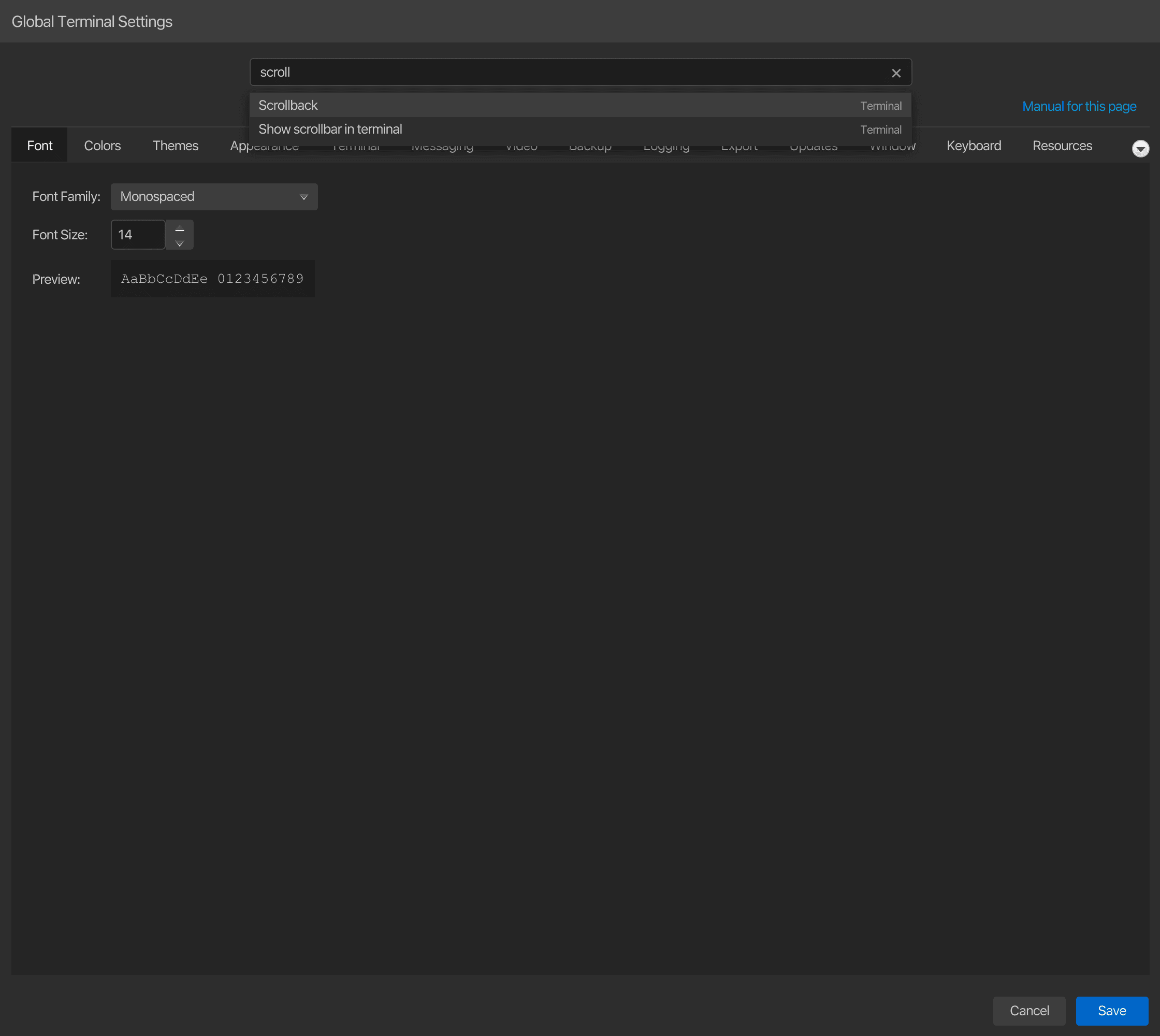
The search line at the top of the settings window looks through every tab at once: the labels, check boxes, buttons and section headings, including tabs you have not opened yet. Type at least two characters and the matching settings are listed under the field, each with the tab it is on; a whole tab is listed as Page when its name matches. Case, accents and umlaut spellings do not matter (schriftgroesse finds Schriftgröße), and every word must match, so terminal scroll finds Scrollback on the Terminal tab. Settings that are hidden in the current state, such as fields of another AI connection mode, are not offered.
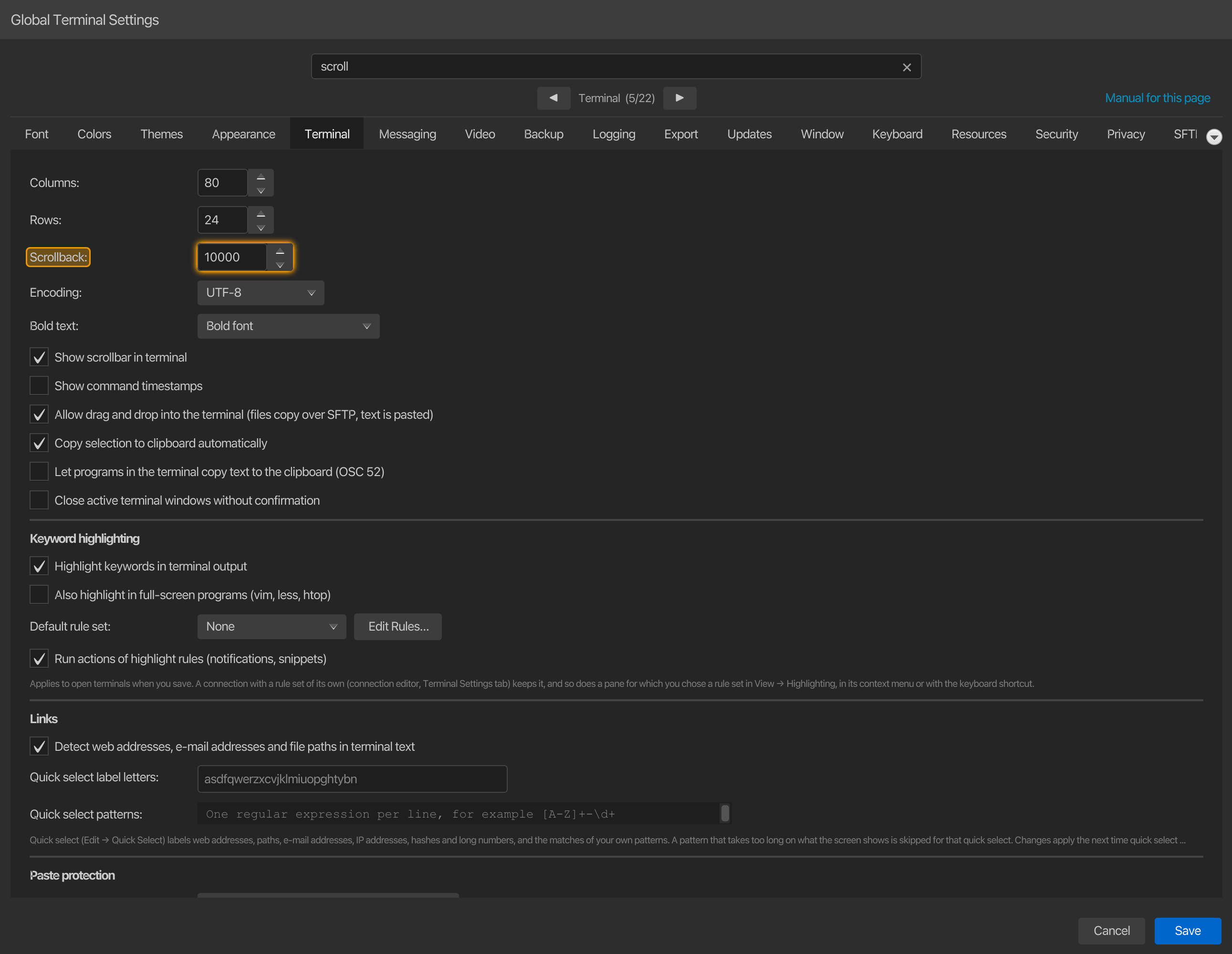
Click a result, or pick it with Up / Down and press Enter: the dialog switches to that tab, scrolls the setting into view, colours it together with the controls on its row and puts the keyboard focus on its control, so you can change it straight away. The colouring fades after a few seconds or when you search again. The ✕ at the right end of the search line empties it with one click. Cmd+F (Ctrl+F on Windows and Linux) jumps to the search line from anywhere in the dialog, and Esc there first clears the search before it closes the dialog; Enter in the search line never saves the settings.
Manual for each tab
Manual for this page at the right of the navigation bar opens the built-in manual at the page that documents the tab you are on, for example this reference's Terminal page while the Terminal tab is shown, and the Anonymous data page for the Privacy tab. Its tooltip names the tab. The manual opens in the language of the user interface.
Settings tabs
| Tab | What it controls |
|---|---|
| Appearance, themes & font | App design (the seven AtlantaFX themes and the korTTY designs), terminal themes, font family & size, UI font size |
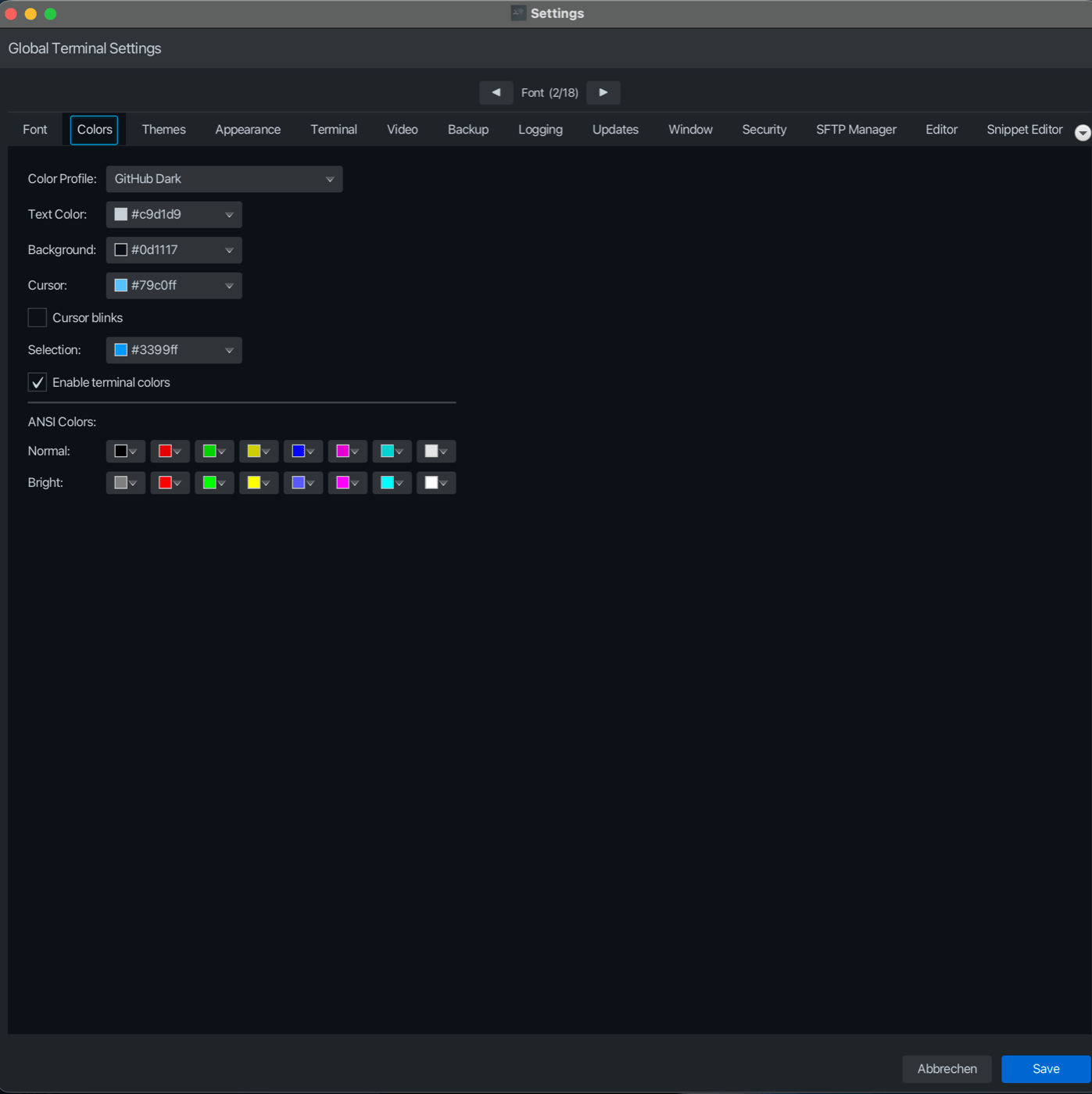
| Colors | Color profile, text/background/cursor/selection colors, cursor blink, the 16-color ANSI palette |
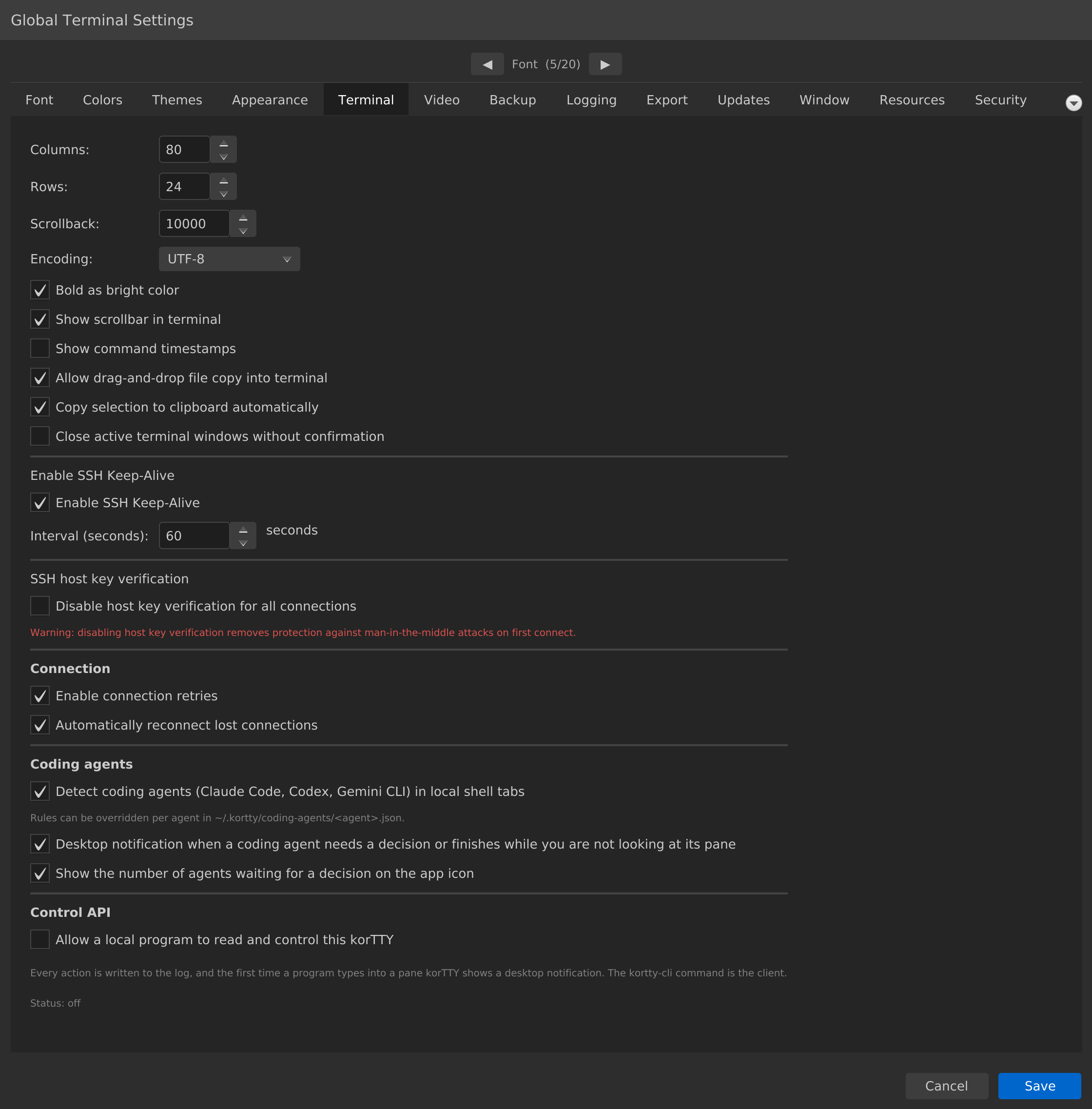
| Terminal | Columns/rows, scrollback, encoding, keyword highlighting, quick select, paste protection, shell integration, links, SSH keep-alive, SSH host key verification, connection retries, drag-drop, timestamps, coding-agent detection, Control API and MCP server |
| Messaging | Desktop notifications for coding agents, terminal events and korTTY AI runs; notification timing |
| Video | Terminal recording / ffmpeg video export |
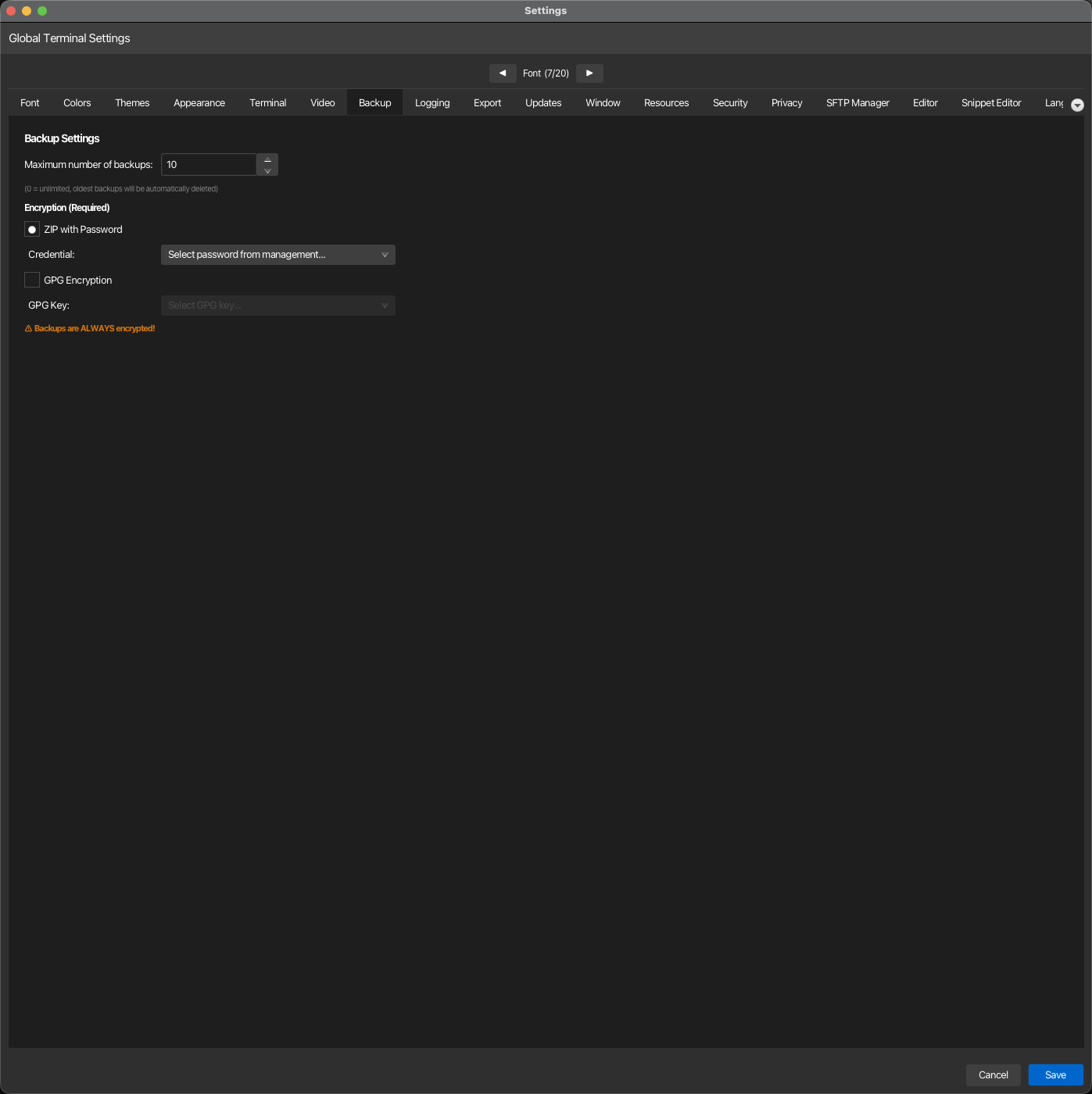
| Backup | Encryption type (ZIP-password / GPG), max backup count |
| Logging | Terminal log directory and retention; session journal storage, AI summaries, interval and profile |
| Export | PDF watermark and document footer for exported session journals, AI chats and code analysis reports |
| Updates | Automatic update checking and interval |
| Window | Toolbar icon size, window geometry restore, fixed geometry, dashboard state, tab behaviour, what korTTY restores at startup |
| Keyboard | Your own shortcuts for korTTY's commands: change, remove or reset them, with a check for keys the shell needs and for conflicts |
| Resources | Opt-in JVM heap/GC profile (Balanced / High / Maximum) for larger workloads |
| Security | Master-password prompt, change master password, temporary SSH keys |
| Privacy | Consent for anonymous usage statistics (Aptabase, EU/GDPR) |
| SFTP Manager | SFTP tab auto-close, remote ZIP defaults, JobScheduler rsync binary |
| Editor | Cursor style and color for editor tabs |
| Snippet Editor | Font, color and cursor overrides for snippet windows |
| Language | UI language selection (8 built-in) + auto-detect |
| Translation | External or local-AI translation provider, credentials, target language, generate language file |
AI has no tab in this window: every AI setting, from the feature switches and the terminal agent to the profiles, local models, knowledge stores and the AI Skills library, lives in AI > AI Manager; see AI, Local models and RAG knowledge stores.
Completeness
The per-tab pages enumerate every individual setting. Coverage is verified automatically against the application's setting keys, so no setting is left undocumented.
Visual reference
A few of the configuration tabs (the per-tab pages show each in detail):
Colors — terminal palette, cursor and ANSI colors
Terminal — scrollback, encoding, keep-alive, retries
Backup — max backups, ZIP-password or GPG encryption